Clip Sequencer for Resolume
Play multi-layer clip sequences in Resolume Arena, locked to your MIDI clock or Resolume's own tempo. Build them on a 1/16-bar grid, start them from the app or by clicking a clip in Resolume.
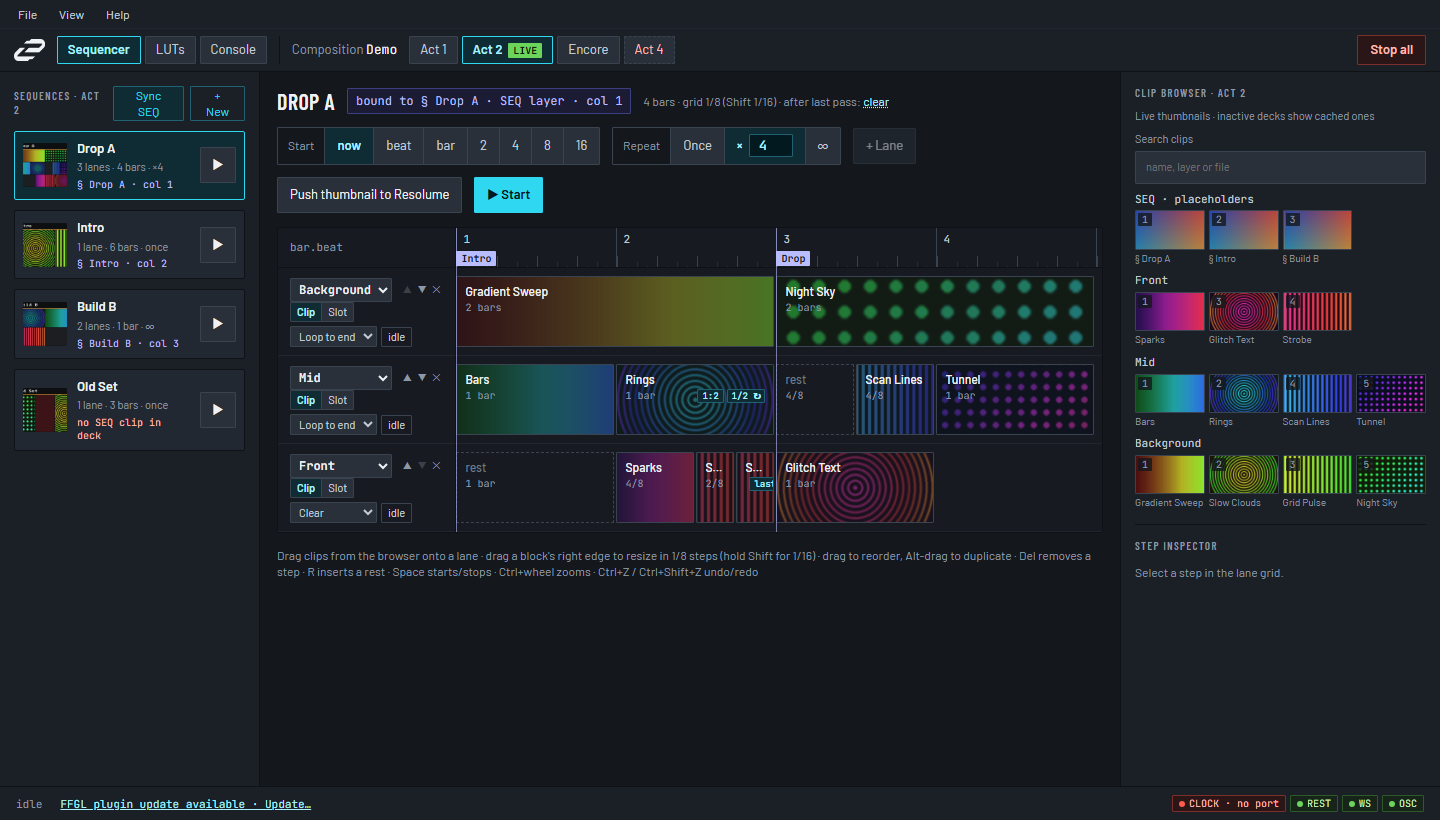
What it does
Lanes per layer
Clips and rests on several Resolume layers at once, on a 1/8 or 1/16-bar grid. Repeat once, ×N or endlessly. Slot lanes play whatever sits in a column, so you can swap clips live.
On the clock
Follows your MIDI clock, or Resolume's own tempo without any MIDI, and triggers every clip exactly on its tick over OSC; Resolume confirms each one.
Start from Resolume
Click a
§placeholder clip on a SEQ layer, from the mouse, a controller or the dashboard, and its sequence starts. Sync SEQ builds the layer and its clips for you.Live-friendly
Click a clip by hand and that layer is yours until you hand it back. Clock lost? Sequences wait and continue.
Survives your edits
Clips are found again by ID, name or file after you move or rename them; sequences are kept per deck.
Timeline in Resolume
The optional FFGL plugin "1000A Sequence" shows a sequence's lanes and playhead right on its clip.
Colour LUTs
Grade the output with sliders and RGB curves, see it before and after, and Resolume's own LUT effect picks up every change while you drag. Imports and exports
.cube.Your look
Five themes, from dark rack slate to a light one for daylight, or make your own colours and fonts. Everything is bundled, nothing loads from the net.
Requirements
- Windows 10 or 11, on the same computer as Resolume.
- Resolume Arena 7.26 or newer, with the webserver and OSC input switched on.
- A MIDI clock on a MIDI input (for example a virtual MIDI port).
- The Microsoft Edge WebView2 Runtime (part of Windows 11).
Installation · Quick start · Troubleshooting · Report an issue